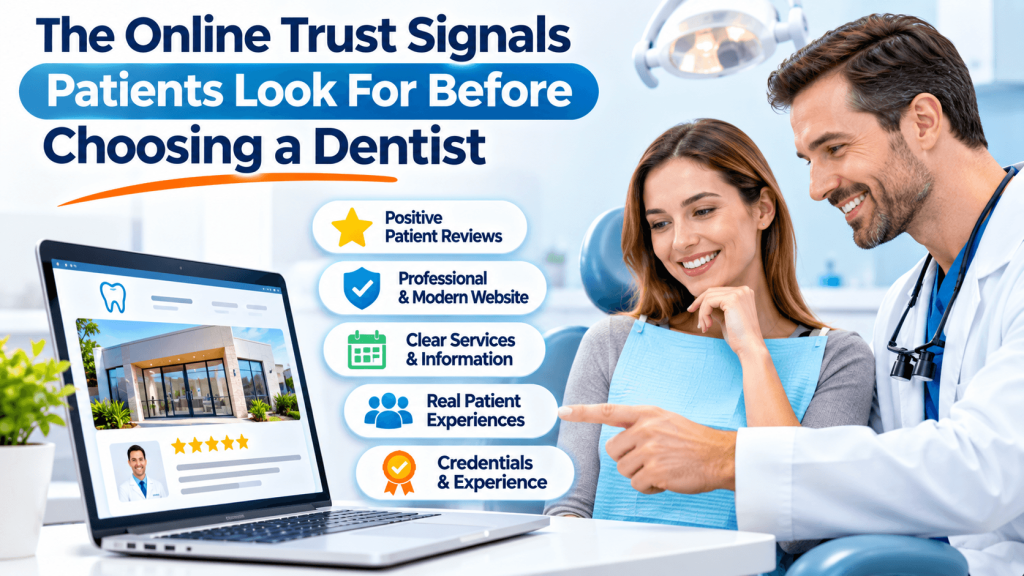
A family moves to Raleigh and needs a new dentist. Before anyone picks up the phone, someone in the household spends twenty minutes comparing practices online. They are not reading your mission statement. They are scanning for reassurance that you are real, current, and comfortable to visit.
What Patients Actually Check First
Most patients start with the basics. Are you accepting new patients? Do you take their insurance? Are you open early or on weekends? Where do they park? A practice that answers these questions clearly removes friction before the first call.
Reviews come next. Patients look for recent, specific feedback that mentions gentle care, clear billing, or a calm hygienist. A long list of five-star ratings with no detail can feel less convincing than fewer reviews that describe real visits.
Small details count too. A website that loads quickly on a phone, lists a clear way to book, and shows an emergency contact option tells patients the office is organized. Many people will judge the practice by these signals before they ever read about your equipment or training.
Consistency Signals That Build Credibility
Trust is easy to lose in small ways. If your website says one phone number, your Google Business Profile shows another, and an old directory listing still names a dentist who retired, patients notice. Some will simply move on to the next practice.
Accurate listings across the web act like a quiet confirmation. When a patient finds the same address, hours, and provider names on your site, your profile, and a business directory such as MasterWebDirectory, the practice feels established and well run.
Practical Steps for Dental Practices
Start by listing every provider, accepted insurance plans, and new-patient availability on your website. Then update your profiles to match. Make sure you appear in a relevant section such as a directory’s Dental Care category, so patients browsing by specialty can find you alongside comparable practices.
Ask satisfied patients for reviews through a simple follow-up message after their appointment. Respond to reviews professionally and never confirm someone is a patient or discuss treatment details in public replies, since HIPAA privacy rules apply.
Finally, add real photos of your office, team, and treatment rooms. Stock images of smiling models do little for an anxious patient trying to picture their visit.
Conclusion
Patients choose dentists based on a quick sense of trust. Clear information, consistent listings, and honest reviews create that sense before anyone sits in your chair. Review your website, profiles, and MasterWebDirectory listing together so each one tells patients the same accurate story.
Frequently Asked Questions
How should a dentist respond to a negative online review?
Keep it brief, calm, and general. Thank the reviewer, express concern, and invite them to call the office directly. Do not confirm they are a patient or mention any treatment, because public replies must respect patient privacy laws. A professional response often reassures future patients more than the review itself worries them.
Is it okay to offer patients a discount for leaving reviews?
No. Google’s review policies prohibit offering incentives for reviews, and the FTC has rules against fake or incentivized reviews that misrepresent experiences. Instead, make it easy to leave honest feedback by sending a direct review link after appointments, and ask consistently rather than selectively.
Should each dentist in our practice have a separate listing?
Google allows individual practitioner profiles in some cases, but they can compete with the main practice listing. Many practices keep one strong practice profile and list providers on the website. Discuss the trade-offs with your marketing team, especially if a provider might leave the practice later.
What information should a dental office listing always include?
Include the practice name, address, phone number, hours, website, services offered, and whether you accept new patients. Insurance information and accessibility details, such as wheelchair access or parking, are also helpful. Keep everything identical to your website so patients see consistent details wherever they look.